
12 Best Slow Motion CapCut Templates
Why Slow Motion Templates?
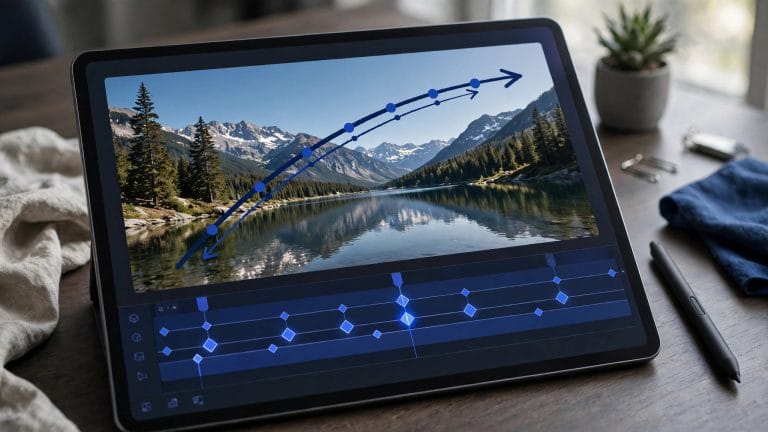
Slow motion turns ordinary footage into cinema: a hair flip becomes a moment, a skate trick becomes art, a laugh becomes the whole video. But smooth slow-mo is technically demanding — you need the right frame rates, optical-flow interpolation, and speed curves that don’t stutter. Slow motion CapCut templates skip all of that: the curves, ramps, and transitions are pre-built, so your clip just inherits the smoothness.
This guide rounds up the 12 best slow motion CapCut templates — from buttery smooth to dramatic velocity hybrids — and shows you how to use each one for maximum effect.
The 12 Best Slow Motion CapCut Templates
1. Buttery Smooth Slow-Mo
The classic: a gentle ease-in to ~40% speed with optical-flow smoothing. Perfect for portraits, fashion clips, and anything aesthetic. The template everyone starts with, and still the most-used slow-mo template on the platform.
2. Slow-Mo + Zoom Punch
Slow motion paired with a slow push-in zoom. The zoom adds drama the slowdown alone can’t — ideal for reveal moments, product shots, and glow-ups.
3. Velocity Hybrid
The viral one: normal speed → sudden slow-mo → snap back to fast. This stop-start rhythm dominates sports and dance edits. Our velocity template guide breaks down the style in detail.
4. Cinematic 24fps Slow-Mo
Adds film-style frame blending and letterbox bars over the slow motion. Makes phone footage look like it was shot for a movie trailer. Best with 60fps+ source clips.
5. Dreamy Glow Slow-Mo
Slow motion plus soft glow, light leaks, and pastel grading. The wedding/video-diary aesthetic. Made for golden-hour footage.
6. Action Freeze Slow-Mo
Ramps down into a near-freeze frame, holds, then releases. Incredible for skate tricks, dunks, and any peak-action moment — the freeze lets viewers savor what just happened.
7. Smooth Reverse Slow-Mo
Plays the action backward in slow motion — water splashing up, hair un-flipping. Surreal and endlessly rewatchable. Needs a clean, simple background to look right.
8. Slow-Mo Shake
Slow motion with a subtle camera shake layered on top. Adds raw energy — the skate-video look. Pairs well with gritty urban footage.
9. Multi-Clip Slow-Mo Montage
A 6–8 slot template that alternates slow-mo clips with quick normal-speed cuts. The contrast keeps montages from dragging. Great for travel recaps and event highlights.
10. Portrait Depth Slow-Mo
Built for close-ups: slow push-in with background blur ramp. Turns a simple talking-head or selfie clip into something premium. Flattering for product and beauty content.
11. Nature Macro Slow-Mo
Tuned for water, fire, smoke, and leaves — the template’s curves are optimized for fluid organic motion. If you film nature, this is your template.
12. Beat-Drop Slow-Mo
Slow motion that releases exactly on a beat drop — half the clip floats, then the drop hits and everything snaps to full speed. The most dramatic template on this list, and the hardest to fill well: the pre-drop clip must be genuinely beautiful.
How to Use a Slow Motion Template
Step 1: Templates tab → search the style name (e.g., “smooth slow mo”, “velocity slow motion”). Preview several — feel which curve matches your footage.
Step 2: Use template → replace each placeholder. Critical: your source clip should be 60fps or higher. Slow motion stretches time; 30fps footage stretched to 40% speed shows every missing frame. Check your camera settings — most phones shoot 60fps or 120fps in slow-mo mode.
Step 3: Trim so the action peak lands in the slowest part of the curve. A dunk slowed down after the ball already dropped is just a slow video of nothing.
Step 4: Preview, nudge, export at the highest frame rate your platform allows.
Find more trending options in our templates hub.
Getting Better Slow-Mo Results
Shoot for slow motion, don’t rescue in slow motion. The template can’t invent frames that aren’t there. 120fps source → gorgeous. 30fps source → mushy. This one factor matters more than which template you pick.
Stabilize first. Slow motion magnifies camera shake. If your clip wobbles, run CapCut’s stabilization before applying the template.
Mind the light. Slow-mo needs light — high frame rates mean shorter exposures per frame. Dim footage slowed down gets noisy fast. Shoot slow-mo in bright conditions.
Less is more. One slow-mo moment per video is a highlight. Five is a slideshow. Use slow motion as punctuation, not prose.
Template vs Manual Slow Motion
Templates win on speed and proven curves — someone already tuned the easing until it looked right. Go manual when you need precise control: select clip → Speed → Curve → shape your own ramp, enable optical flow, and keyframe exactly where the slowdown starts and ends. Manual also lets you slow part of a clip while the template slows fixed zones. Rule of thumb: templates for daily posts and trends, manual for hero videos where the slow-mo moment is the whole point.
Best Subjects for Slow Motion
Some things were born for slow-mo: water (splashes, pours, rain), hair and fabric in motion, sports peaks (the jump, the hit, the landing), fire and smoke, animals mid-action, city lights at night with motion blur. Worst subjects: talking heads (slow speech is comedy, not cinema), static scenes (slow nothing is still nothing), and low-light indoor clips (noise city). When scouting clips for a slow-mo template, ask: “does this contain a peak moment?” If yes, slow it. If no, pick another clip.
Slow Motion Template Problems — Fixes
“My slow-mo looks choppy.” Source frame rate too low, or optical flow didn’t apply. Re-apply with a 60fps+ clip. In a pinch, CapCut’s Video quality → Enhance can smooth mild choppiness.
“The template slowed the wrong part.” Re-trim: the template’s slow zone is fixed, so move your clip’s action into it by adjusting in/out points.
“It needs Pro.” Some premium slow-mo templates gate the optical-flow effect. Swap it post-apply or use the modded version.
“Export looks worse than preview.” Export at 60fps if the platform supports it, and keep bitrate high. Slow-mo shows compression artifacts more than normal footage.
FAQs
Which CapCut template is best for slow motion?
“Buttery Smooth Slow-Mo” for classic slow motion, “Velocity Hybrid” for the viral stop-start style. Match the template to your footage’s energy.
How do I make smooth slow motion in CapCut without a template?
Select clip → Speed → Curve → drag the curve down to 0.3–0.5x → enable optical flow (under Speed → Smooth slow-mo on supported versions). Templates just pre-build this.
What fps should I shoot for slow motion?
60fps minimum, 120fps ideal. The template can only smooth what’s there — 30fps footage will always look choppy slowed down.
Why is my slow motion blurry?
Usually low light (high fps needs lots of light) or digital zoom. Get closer physically instead of zooming, and shoot in bright conditions.
Can I slow down only part of a clip?
Yes — split the clip (tap Split at the boundaries), apply the slow curve to just the middle section. Templates with velocity hybrids do this automatically.
Conclusion
Slow motion templates hand you professional speed curves for free — but the template is only half the equation. Shoot 60fps+, stabilize, light it well, and place your action peak in the slow zone. Do that, and any of these 12 templates will make your footage look like it cost ten times your phone’s price to shoot.